How to beam on roblox

Avery Gonzales
Published Feb 20, 2026
This is an easy way to BEAM on ROBLOX — About Press Copyright Contact us Creators Advertise Developers Terms Privacy Policy & Safety How YouTube …
There are other answers below:
Join The Discord Server! this channel to get access to perks:
Create two parts to act as the start and end of the beam. Group the parts into a Model (select parts and press Ctrl+G or ⌘+G ). Use the + button to insert attachments into each part. →. Insert a Beam into the model. Select the Beam, and scroll down to Attachment0/Attachment1 properties in the Properties window.
Setting up a Beam. To display, beams must be a descendant of the Workspace with their Beam/Attachment0 and Beam/Attachment1 properties set to Attachment s also descending from the Workspace. The beam’s appearance can be customised using …
How do you Use Beams in Roblox? Create two parts to act as the start and end of the beam. Group the parts into a Model (select parts and press Ctrl+G or ⌘+G ). Use the + button to insert attachments into each part. Insert a Beam into the model. What does it Mean to be Beamed Roblox?
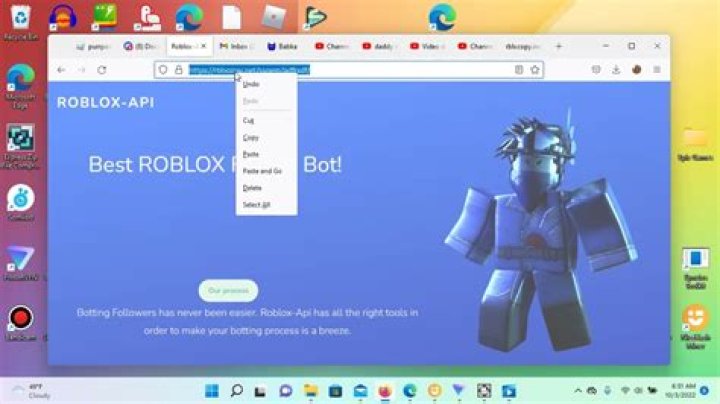
there’s methods that people use to beam people, click on the spoilers below to reveal the most popular ones (as far as i know). javascript method: you create a js, and if someone puts it in their browser on roblox, their cookie gets sent to either a discord webhook or something else.
1: Make a discord server and make a new text channel. 2: Hit the cog and edit the text channel you just made and go down to Intergrations and make a Webhook. 3: Copy and paste your new webhook onto and youre finished with the first half!
local function createArrows() for i,v in pairs(tycoonDoors) do — Loops through the tycoonDoors table local beam = Instance.new(“Beam”) — Creates the beam beam.Parent = v beam.Color = ColorSequence.new(Color3.fromRGB(0,0,0)) local attachmentPlayer = Instance.new(“Attachment”) — Creates the player attachment attachmentPlayer.Name = …
Beam. Methods. 314. Roblox Public Marketplace. RPM is a growing Roblox marketplace server where you can buy, trade, and sell robux, limiteds, and all sorts of in-game items, including Adopt me pets, MM2 weapons, PSX pets, Trade Tower items, and… Roblox.
Beaming Roblox Accounts Login Information, AccountLoginask. Preview (Updated 2021) How to Beam Roblox Accounts!!! Make Your new soutoub.com. how to beam roblox, roblox how to beam, roblox beam limiteds, roblox comping, roblox hack, hack roblox accounts discord, hack roblox accounts ios, hack roblox accounts for robux, hack roblox accounts pastebin, hack roblox …
How do you Use Beams in Roblox? Create two parts to act as the start and end of the beam. Group the parts into a Model (select parts and press Ctrl+G or ⌘+G). Use the + button to insert attachments into each part. Insert a Beam into the model.Related Questions
How do people beam people on Roblox?
beaming = stealing limiteds, basically. there’s methods that people use to beam people, click on the spoilers below to reveal the most popular ones (as far as i know). javascript method: you create a js, and if someone puts it in their browser on roblox, their cookie gets sent to either a discord webhook or something else.
How do I create a beam in Revit?
Create two parts to act as the start and end of the beam. Group the parts into a Model (select parts and press Ctrl+G or ⌘+G ). Use the + button to insert attachments into each part. Insert a Beam into the model. Select the Beam, and scroll down to Attachment0/Attachment1 properties in the Properties window.
Is there a beaming server for Roblox Beamers?
About Us We strive to be the best community for Roblox beamers. We’re a starter friendly server and have all the information needed to begin your beaming journey. We aim to keep this se… ROBLOX BEAMING / METHOD SELLING SERVER. WE ARE UP AND COMING! JOIN (CHEAP METHODS)
How to make a beam in Tinkercad?
Creating a Beam Create two parts to act as the start and end of the beam. Group the parts into a Model (select parts and press Ctrl+G or ⌘+G ). Use the + button to insert attachments into each part. → Insert a Beam into the model. Select the Beam, and scroll down to Attachment0/Attachment1 …